The platform
One platform for growing, quality, stock and trade
Flowersynk connects every step of a cannabis operation: from the plant batch and the lab result to goods-in, the marketplace and the Cannabis Pass. At the desk and on the phone, with a complete audit trail.


One record per batch
Plant batch, harvest, lab, release, stock and sale are one connected record – traceable in both directions.
GMP-ready workflows
Audit trail, four-eyes approvals, e-signatures, OOS and recall are part of the daily work, not an extra tool.
Made for the shop floor
Scan, record and approve on the phone; enter many values at once in tables on the desktop.
Eleven chapters, one system
Every chapter shows what is live in Flowersynk today – with screenshots from the app.
 Chapter 1
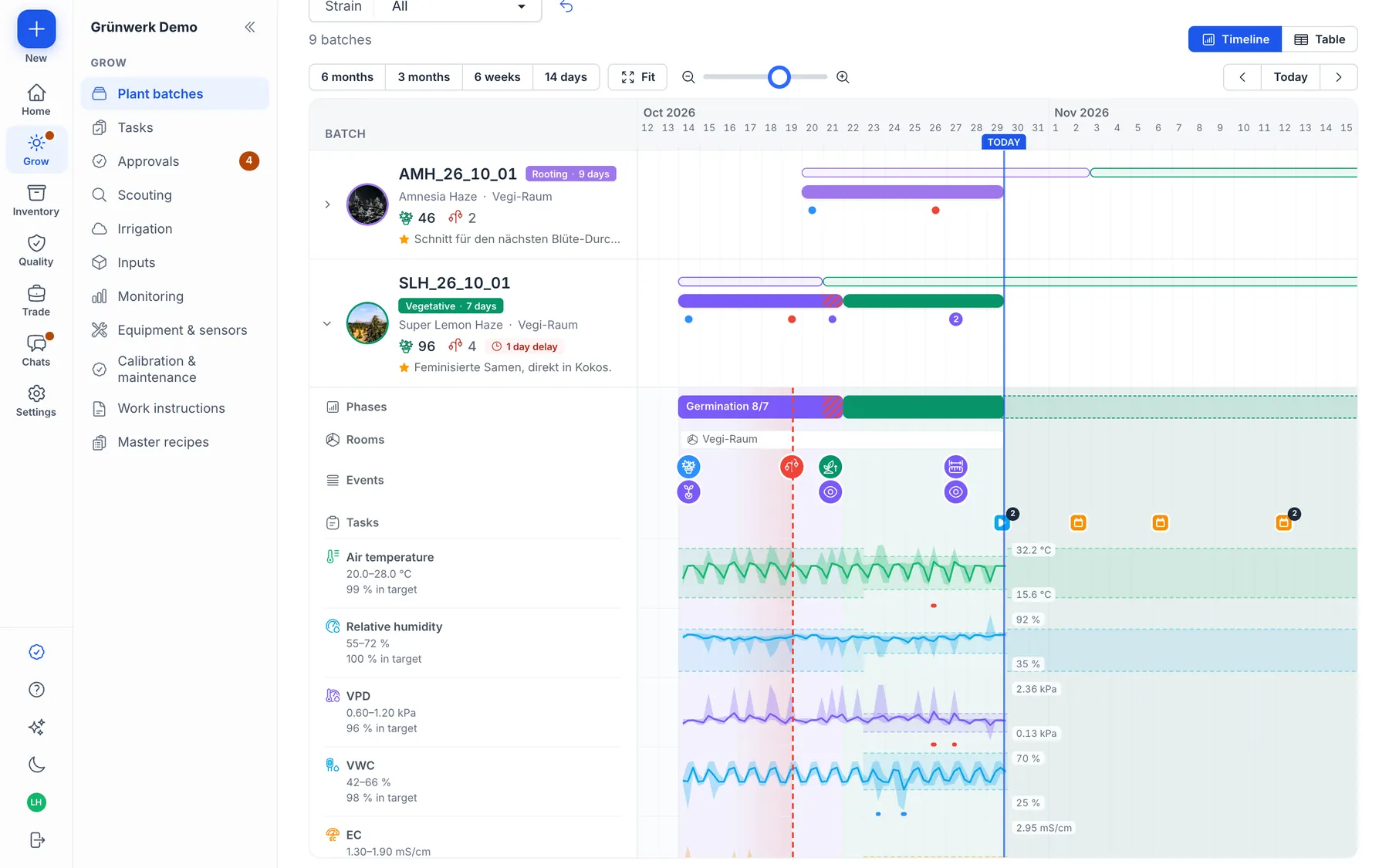
Cultivation
Plant batches, master recipes, tasks, climate monitoring, scouting and inputs.
Explore the chapter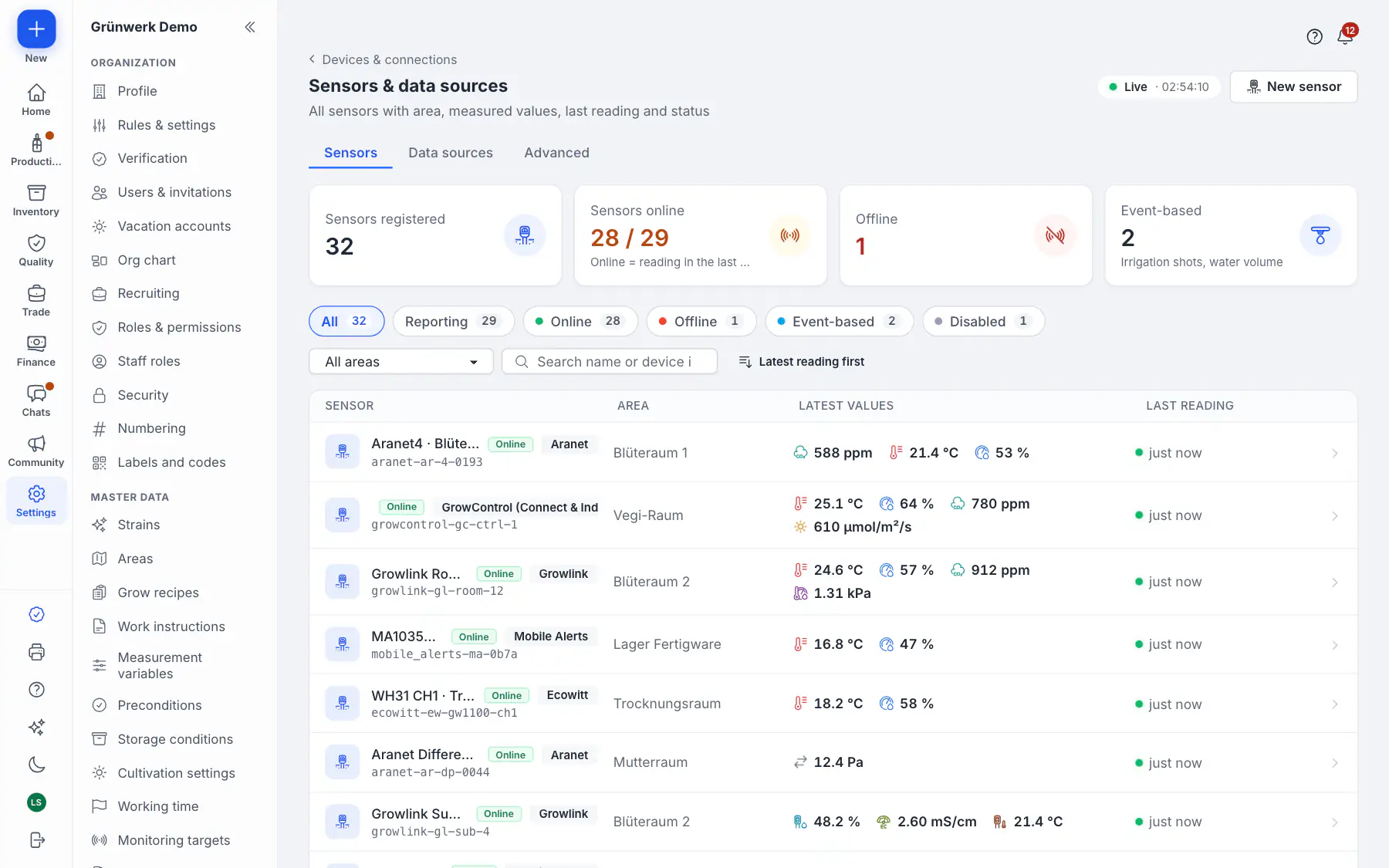 Chapter 2New
IoT & Devices
Growlink, GrowControl, Ecowitt, Aranet and more, KERN scales, Zebra label printers, Flowersynk Edge.
Explore the chapter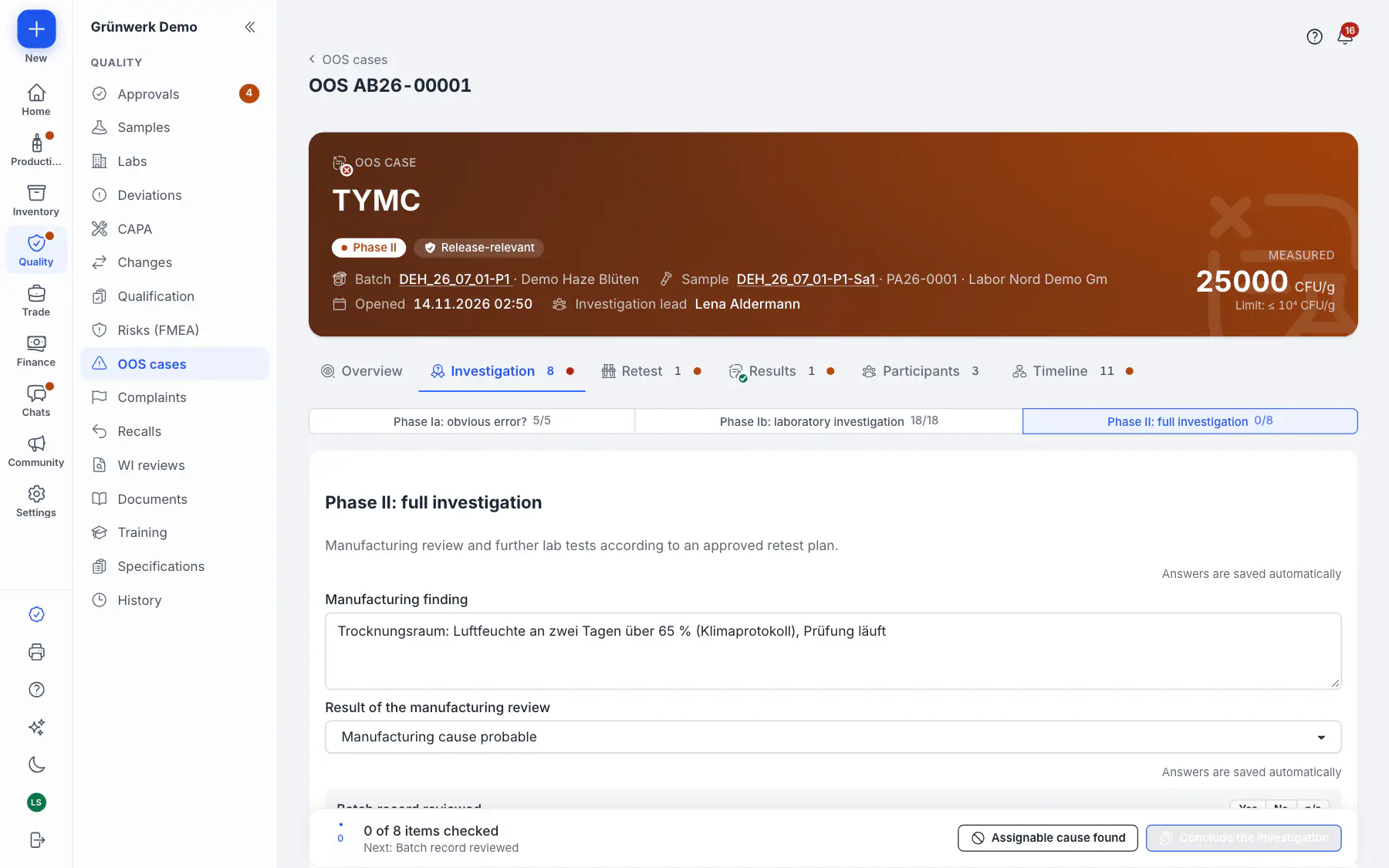 Chapter 3
Quality & GMP
Audit trail, e-signatures, four-eyes, GAMP 5, lab and Ph. Eur., OOS, recalls.
Explore the chapter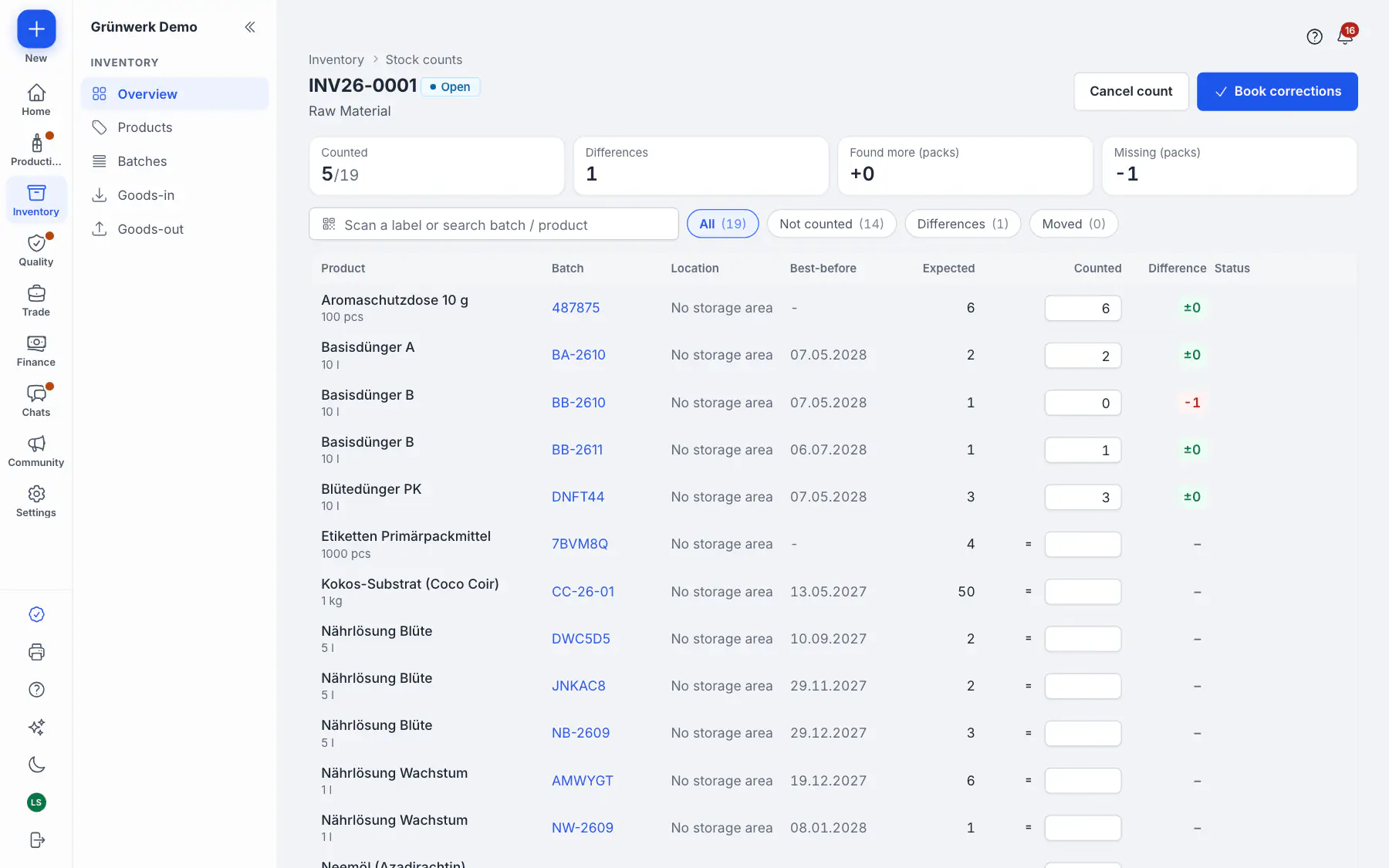 Chapter 4
Stock & Purchasing
Goods-in by scan, quarantine, labels, counts, reorder, goods-out.
Explore the chapter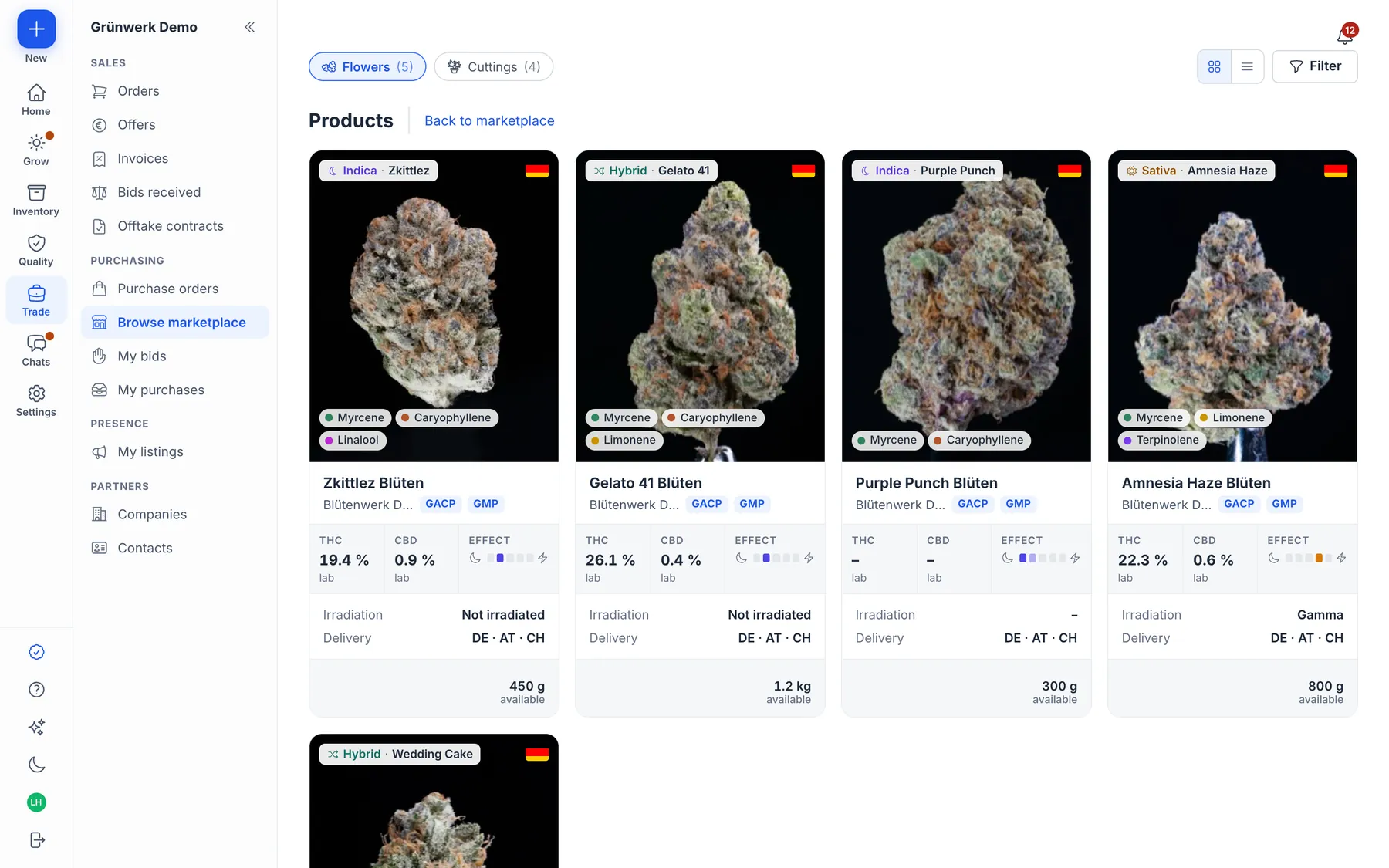 Chapter 5
Trade & Marketplace
Marketplace with specification matching, purchase on invoice, invoices, cuttings to order.
Explore the chapter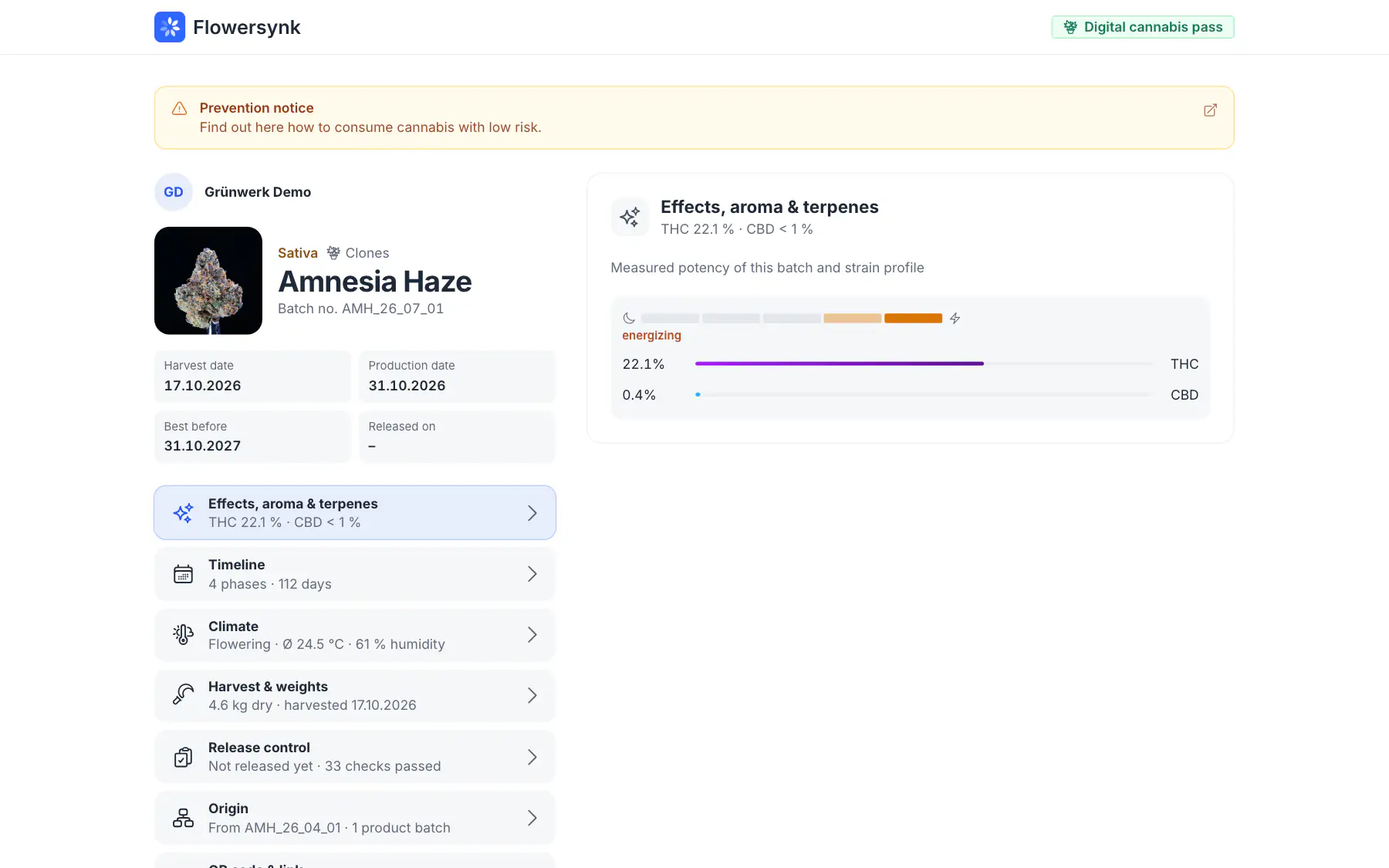 Chapter 6
Cannabis Pass
Batch information with CoA, ratings and problem reports via QR code.
Explore the chapter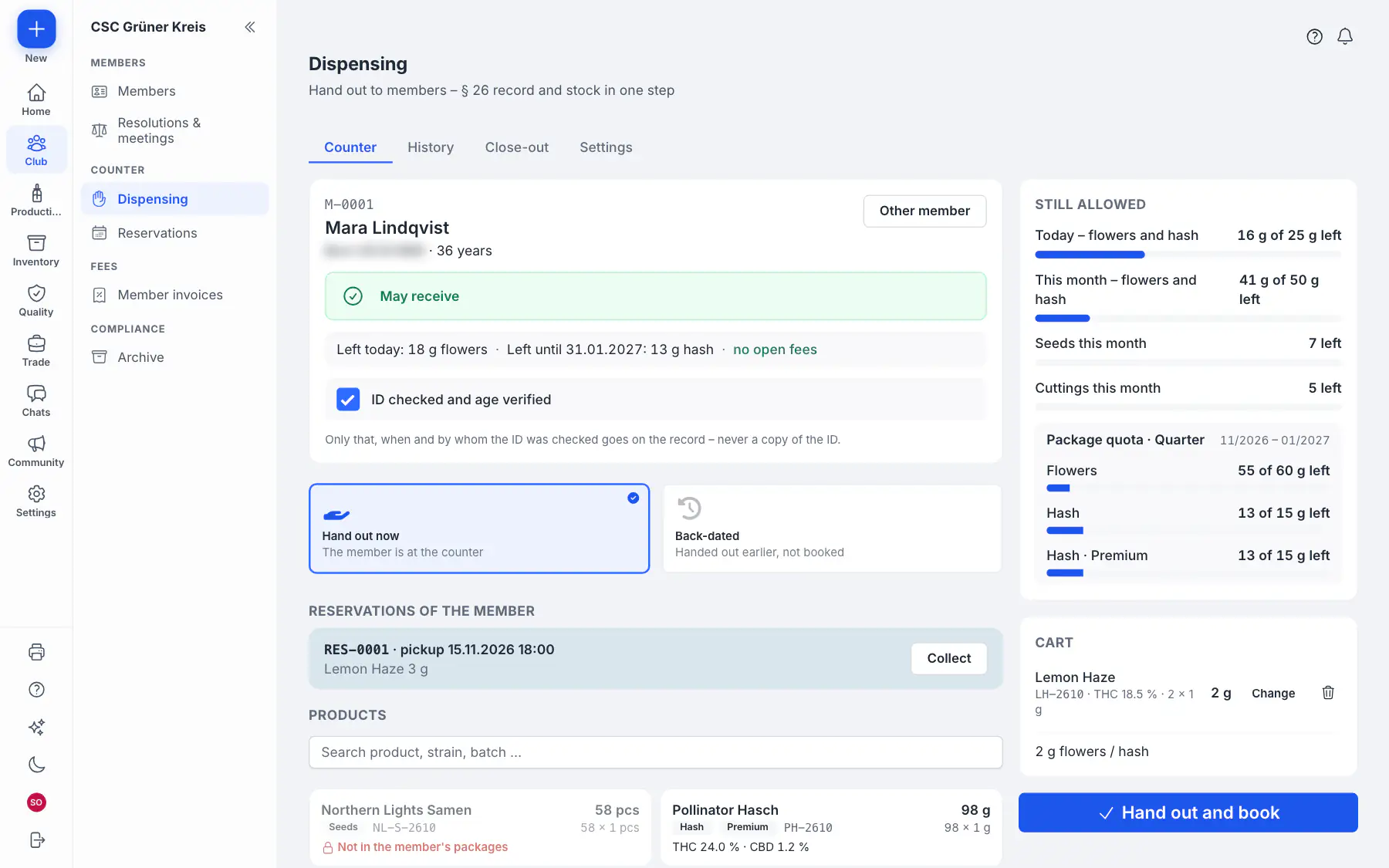 Chapter 7
Clubs
Member register, counter, KCanG records, member portal and cloud TSE.
Explore the chapter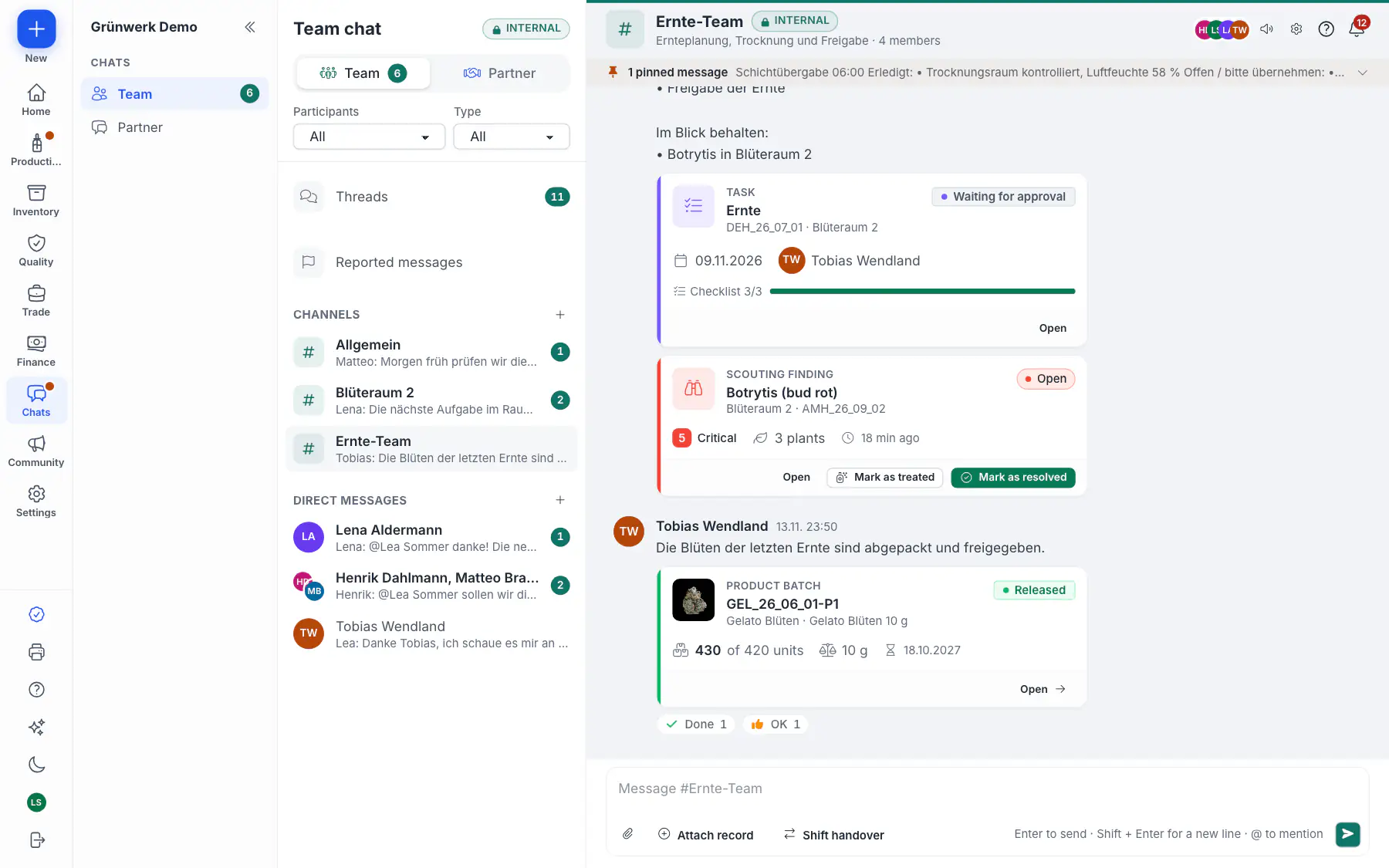 Chapter 8
Team & Mobile
Home page, mobile tab bar, scanner, team chat, notifications.
Explore the chapter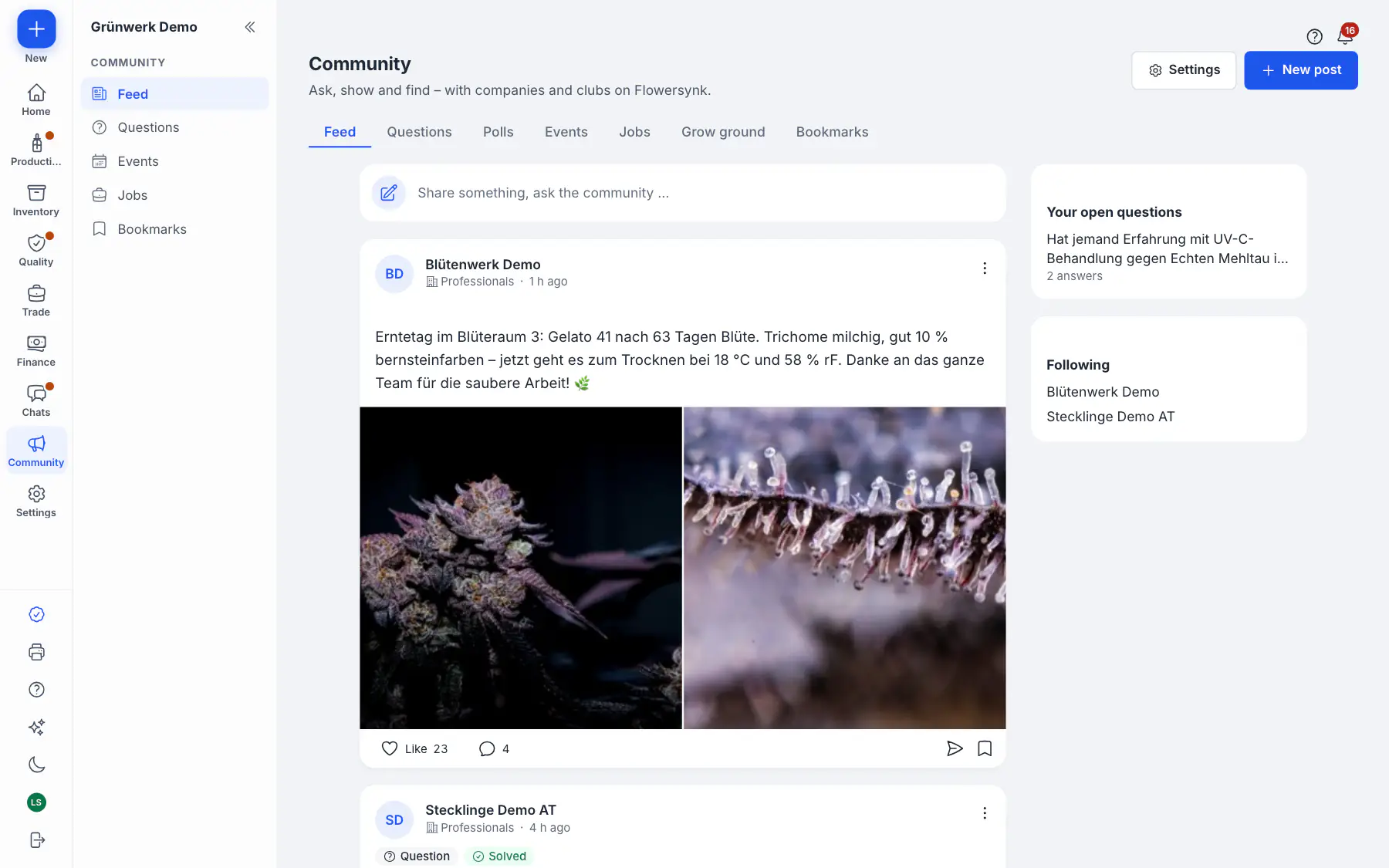 Chapter 9New
Community
Feed with photos and questions, polls, job postings, chats with live record cards.
Explore the chapter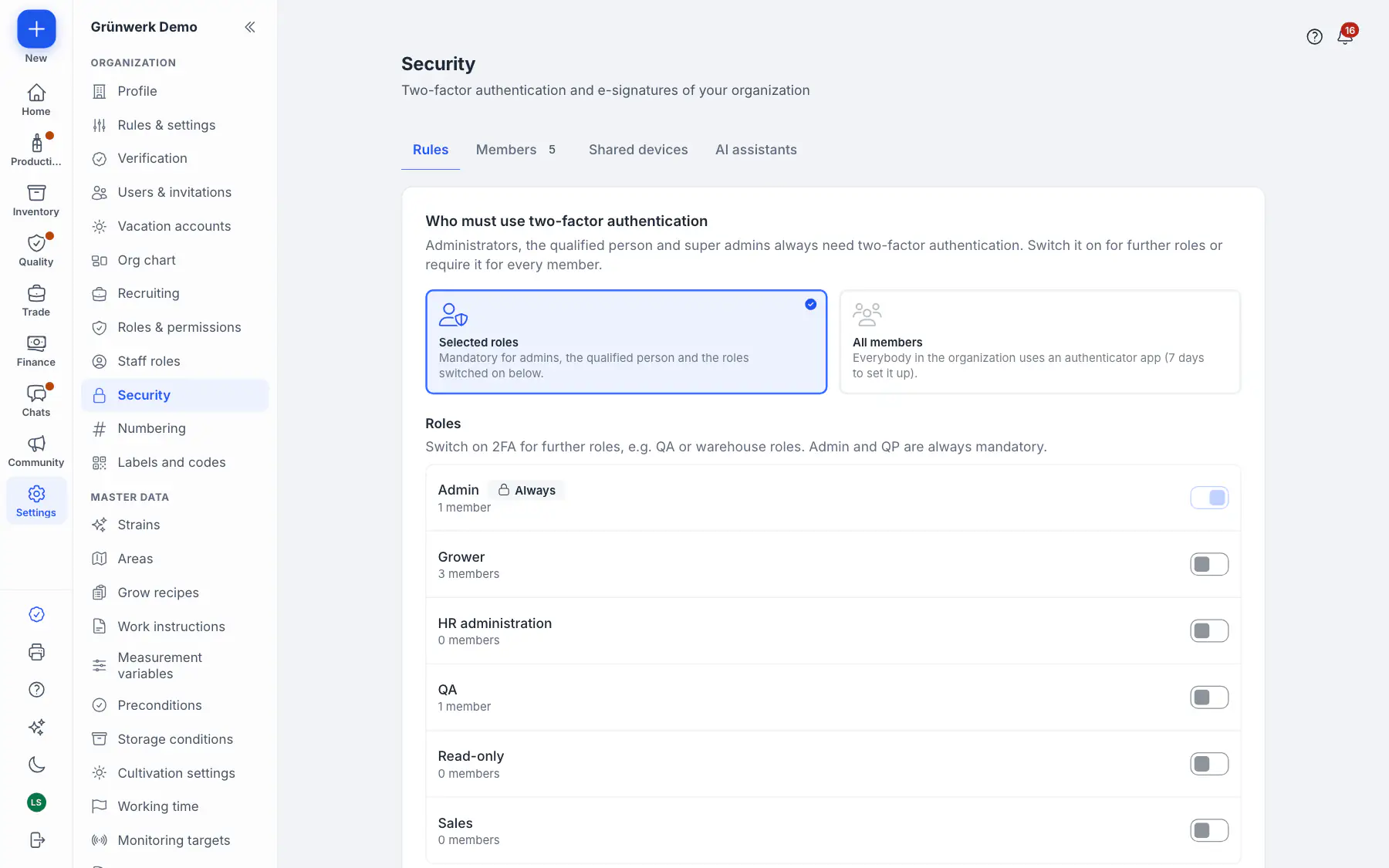 Chapter 10
Security
Passkeys, two-factor sign-in, sudo mode, encryption at rest, key rotation, hosting in Frankfurt.
Explore the chapter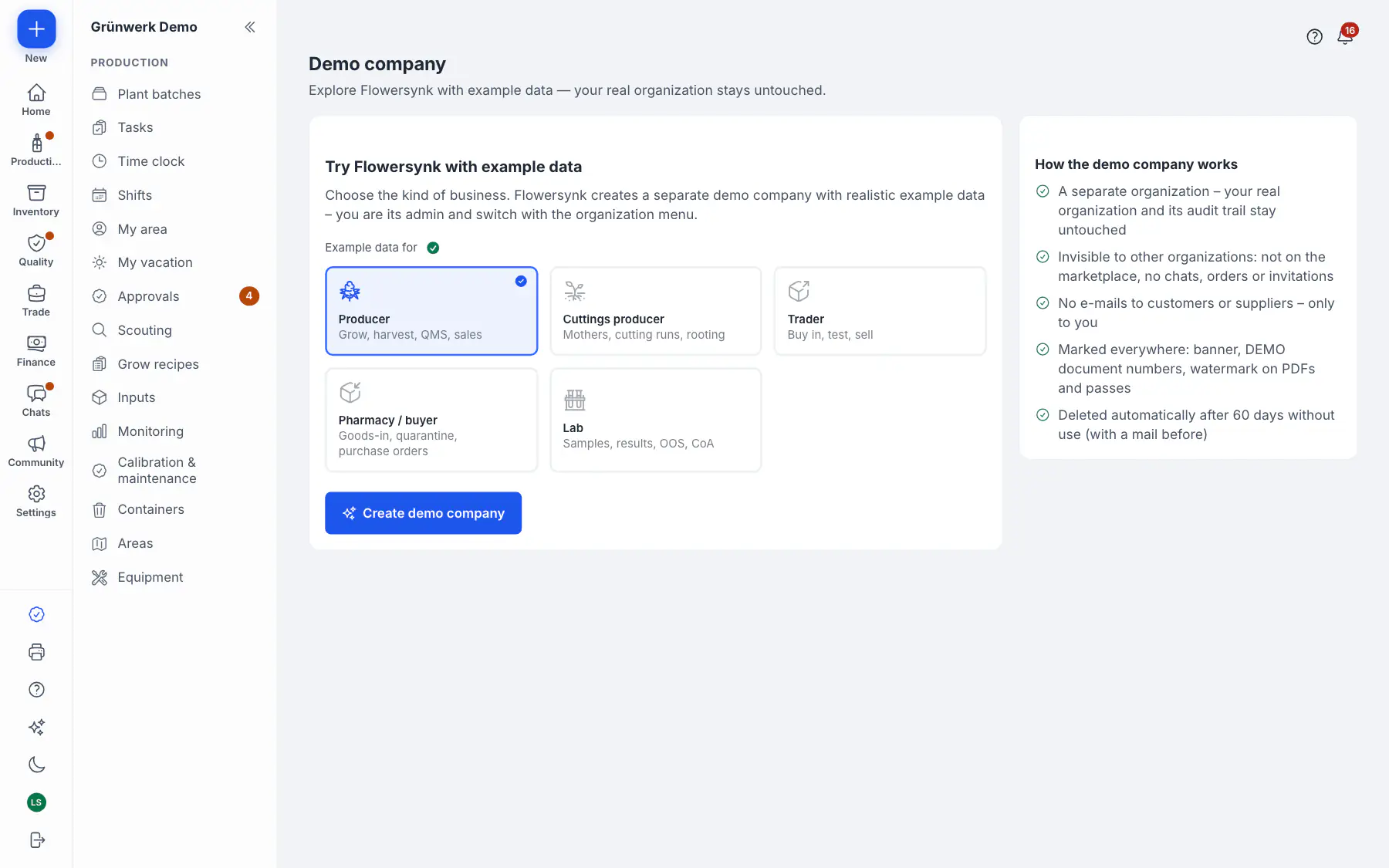 Chapter 11
Getting started
Demo company, data import, in-app tips and help.
Explore the chapter


Optional for admins: connect AI assistants via MCP – off by default, read only or with changes the user confirms, never beyond the user's role.
See it with your own data
Book a walkthrough: we show you Flowersynk with the processes of your site – from goods-in to batch release.